Digital forensics software for file authenticity and fraud analysis.
Analyze images, videos, PDFs, screenshots, and suspicious links with metadata extraction, SHA-256 checks, manipulation signals, and forensic PDF reports.
Privacy and compliance: see our Privacy Policy or talk to a specialist.
Delivery and trust
PDF forensic report
Export with evidence, indicators and consolidated findings.
Privacy-focused
Processing occurs in the browser; files are not stored on any server.
Isolated Environment
SaaS platform operating under strict governance standards and evidence isolation.
Technical note
Automated results indicate signs/evidence based on technical analysis and may not be 100% conclusive.
Choose your forensic workflow
Use image authenticity verification and deepfake detection software to validate media, or analyze suspicious links to block phishing and digital fraud.
Verify files with more confidence
Analyze images and videos to identify signs of manipulation, AI generation, and technical inconsistencies in evidence, screenshots, and visual attachments.
Privacy preserved
Fully local processing. Your files are never sent to the cloud.
- • Images and videos
- • Initial triage with forensic PDF report
- • Ideal for evidence, screenshots, and digital attachments
* Technical results based on binary structure and metadata.
Confirm documentary authenticity
Verify authenticity, integrity, and signs of alteration in contracts, petitions, reports, and corporate documents.
Strict compliance
Isolated local validation strictly focused on original file hashing and document digital signatures.
- • PDF: advanced analysis
- • DOCX, XLSX, PPTX, and CSV: preliminary triage
- • Signatures, integrity, and formal validity
* Supports major Office formats.
Investigate links and digital scams
Evaluate suspicious links, screenshots, and messages to identify phishing, fake domains, and signs of social engineering.
Safe mode (Sandbox)
Automatic click prevention. External analysis on the provided URL.
- • Suspicious links, phishing, and fake domains
- • URLs and screenshots with secure analysis
- • Risk score and practical recommendation
* Indicators help in quick endpoint blocking decisions.
Real fraud cases analyzed with MetaScope
See investigations where MetaScope helped validate authenticity, detect manipulation, and identify digital fraud with technical evidence.
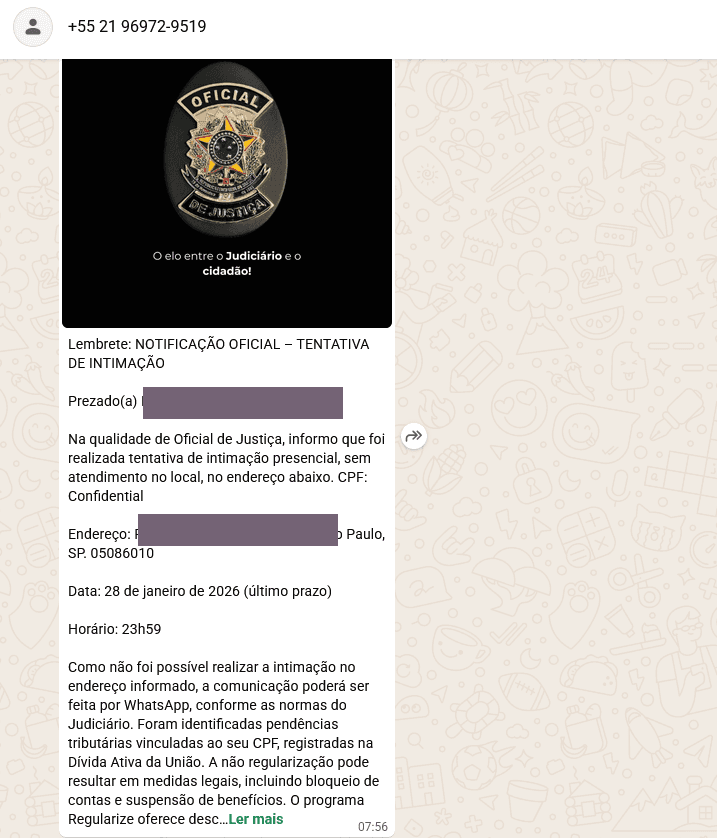
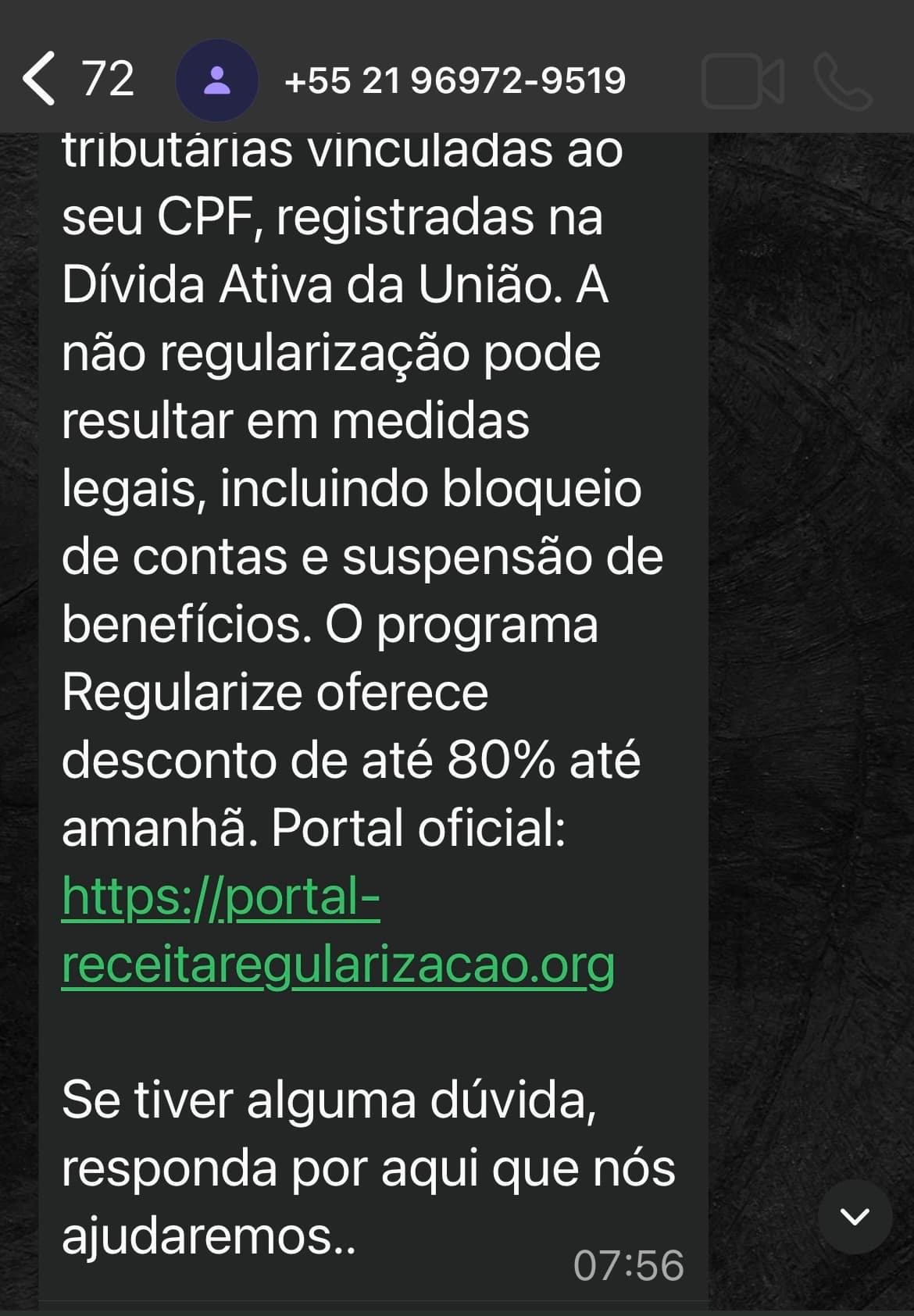
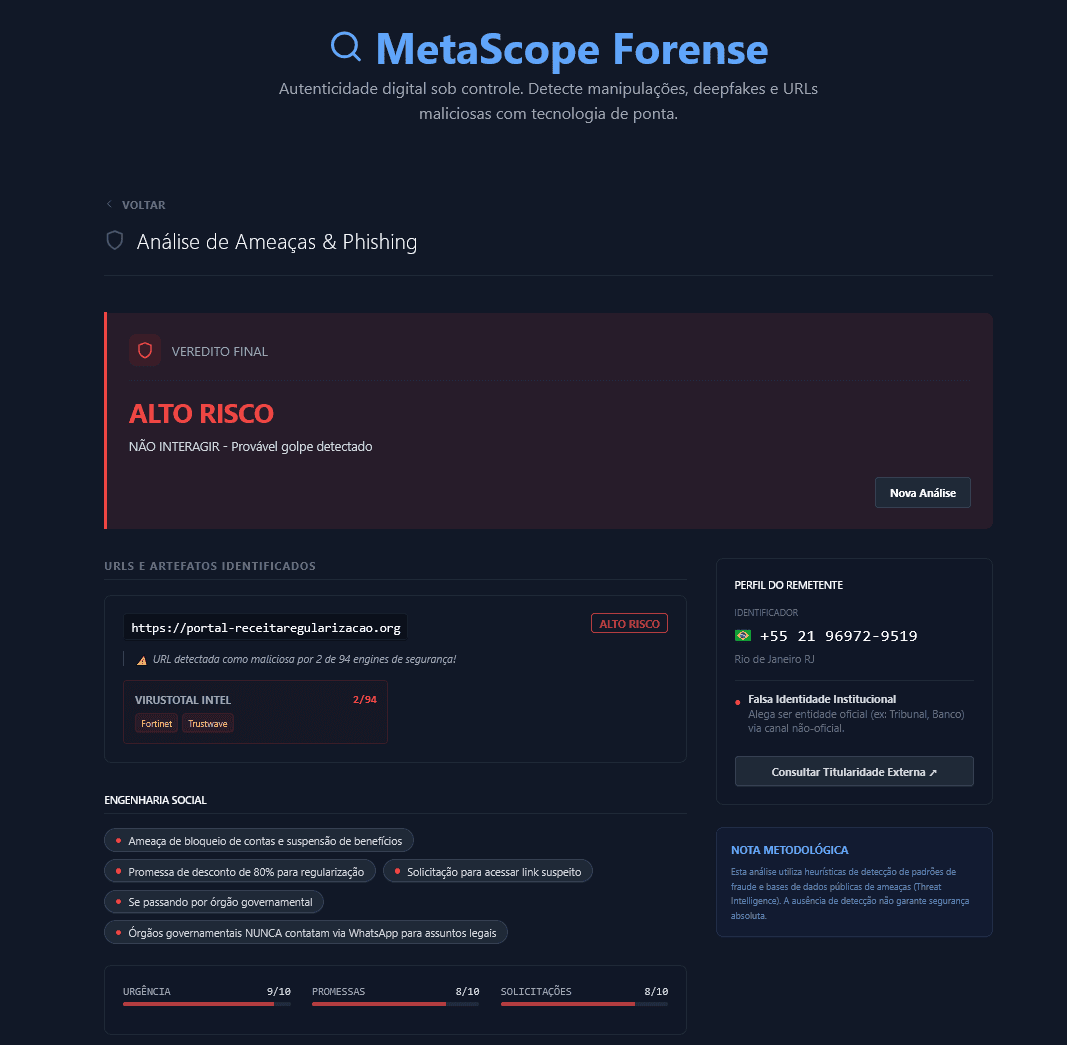
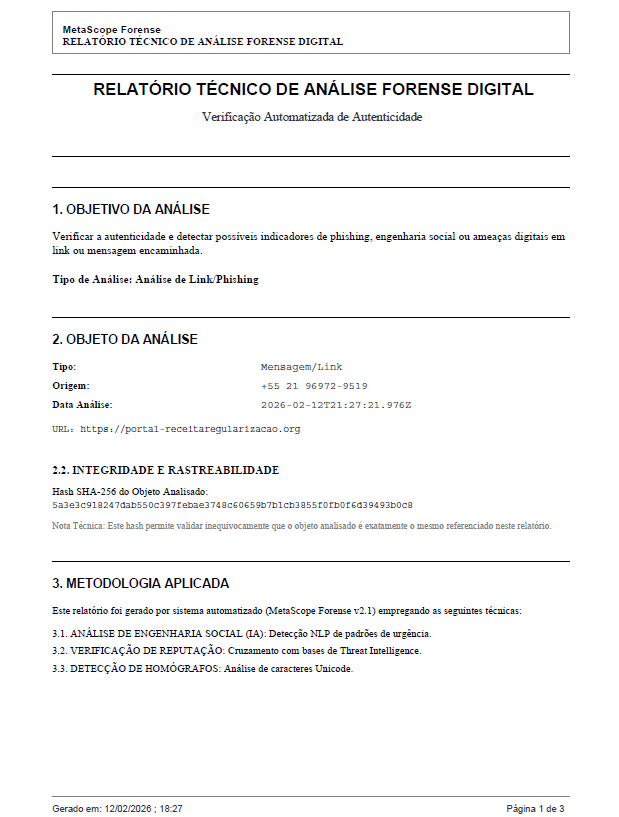
From receipt to technical report
Complete analysis of a WhatsApp scam. The system processes the evidence and delivers a forensic report ready for use.
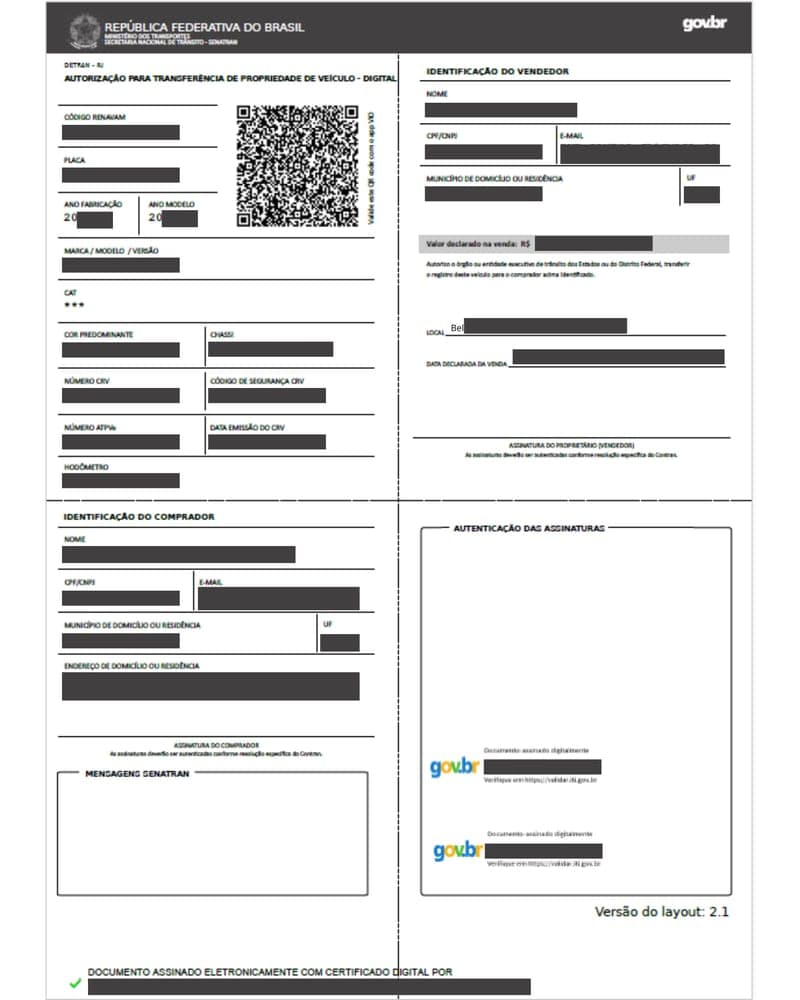
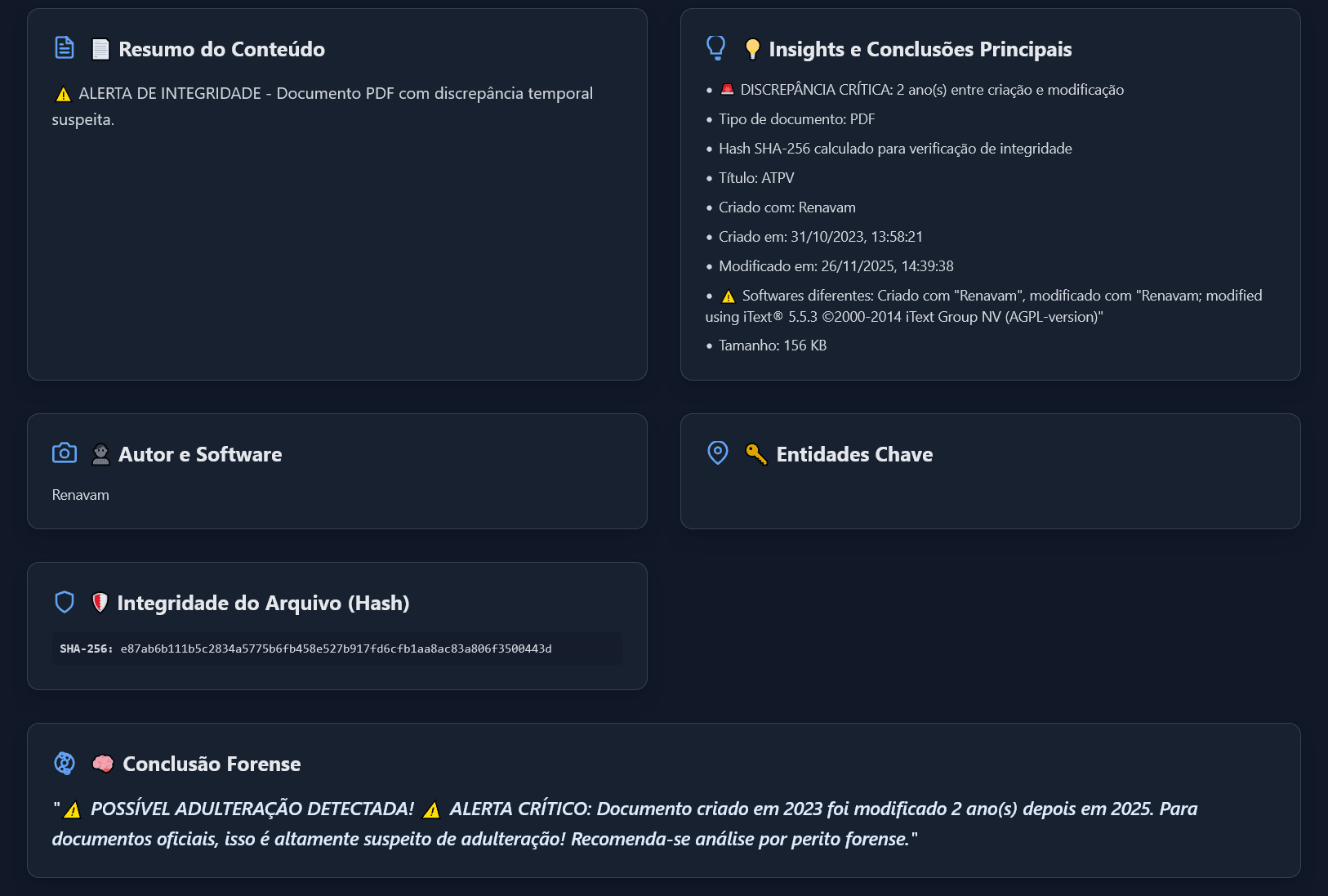
ATPV-e Fraud
Digital vehicle document with signs of editing. Metadata and PDF structure analysis revealed manipulation.
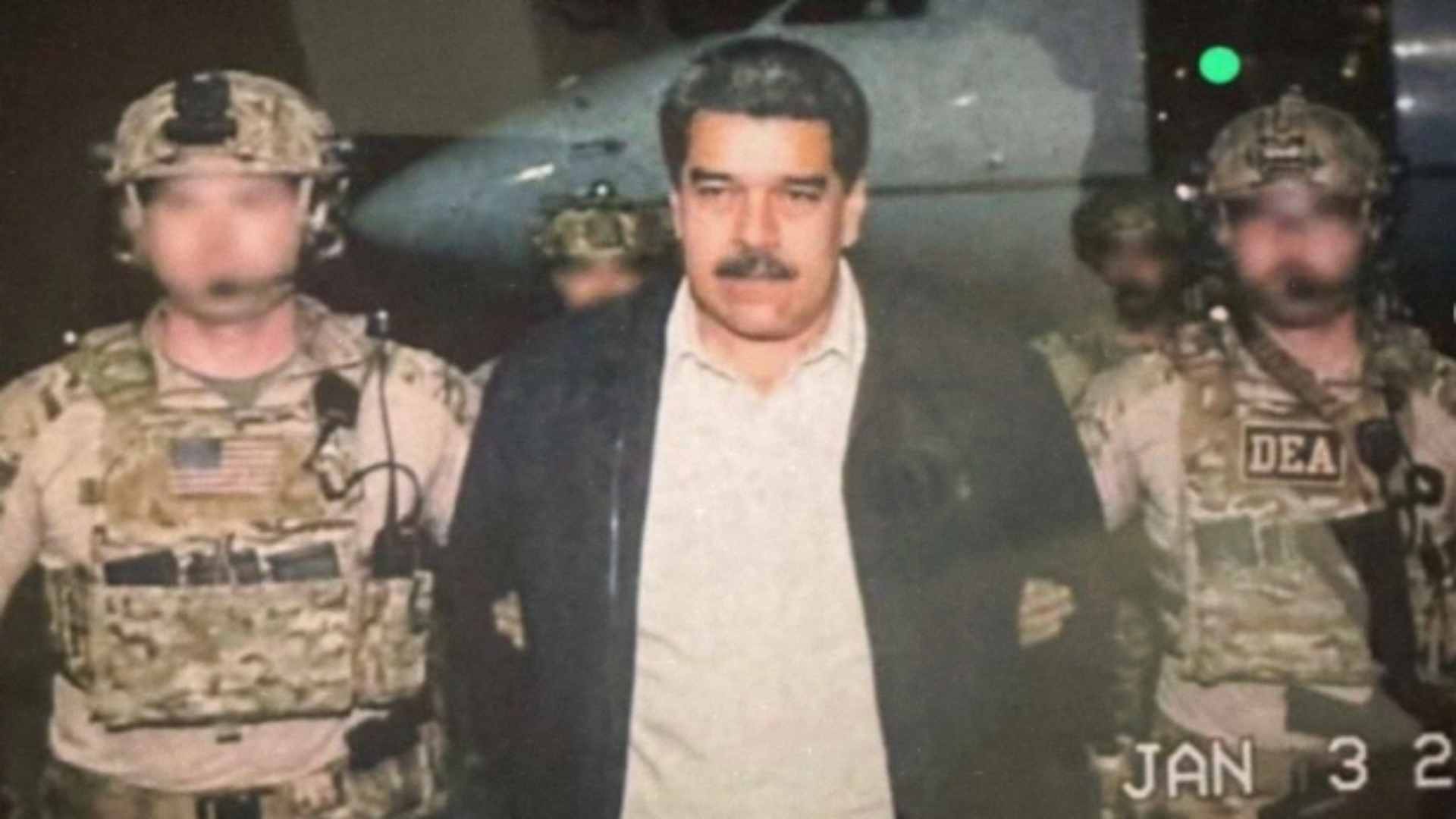
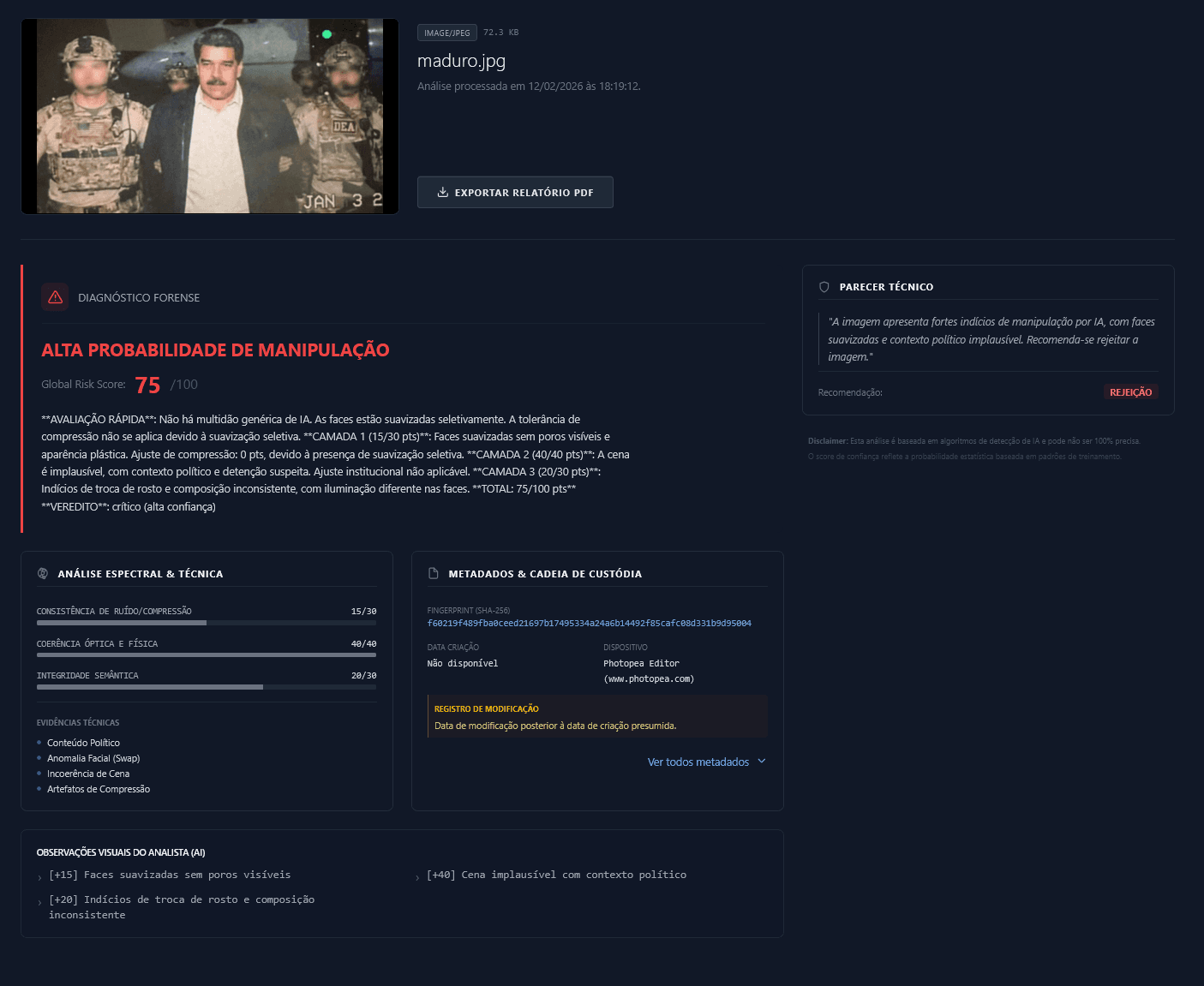
Viral: Real or Fake?
Viral image circulating on global social media. Our deepfake detection software runs technical analysis to expose synthetic manipulation.
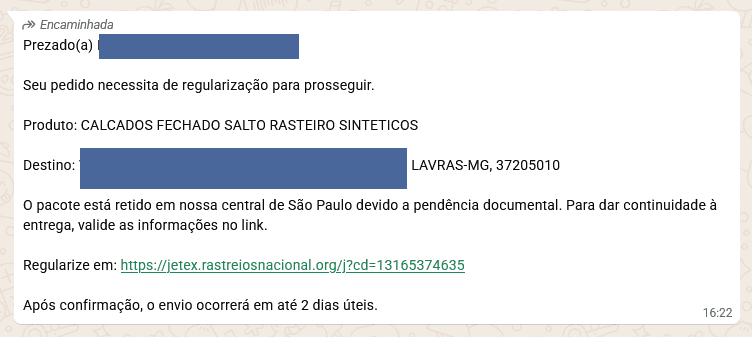
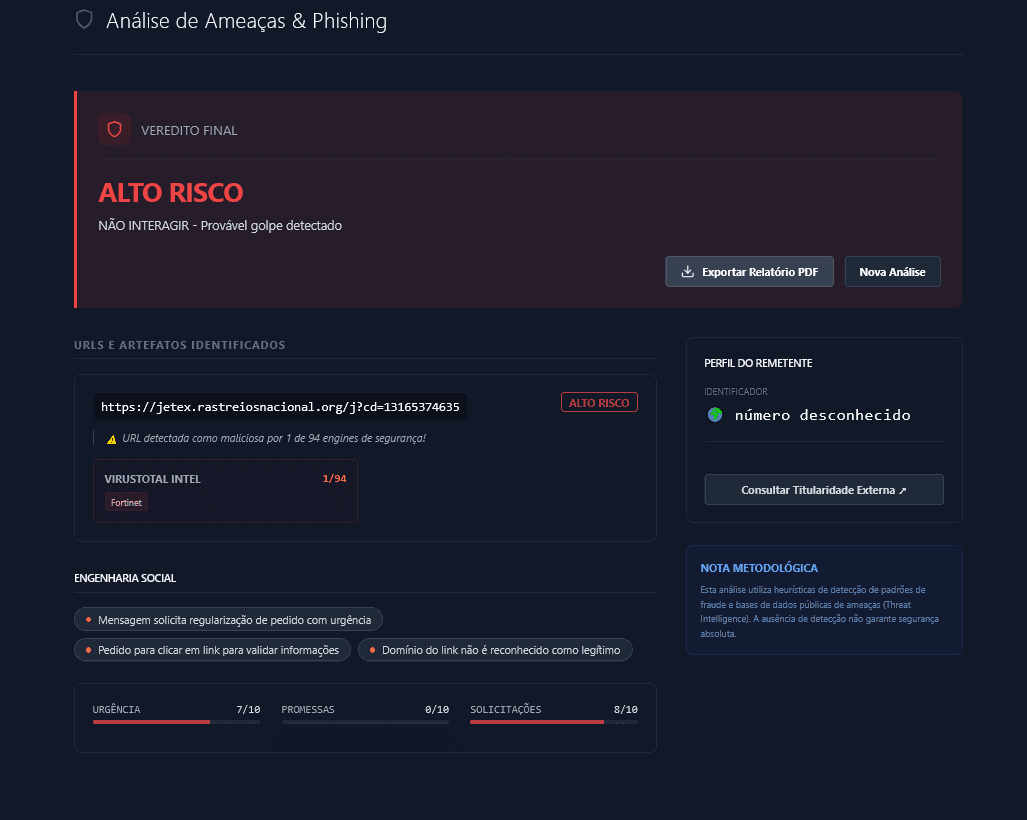
Fake Tracking Scam
Message about withheld delivery or pending fee. Technical analysis revealed a fake link mimicking official site.
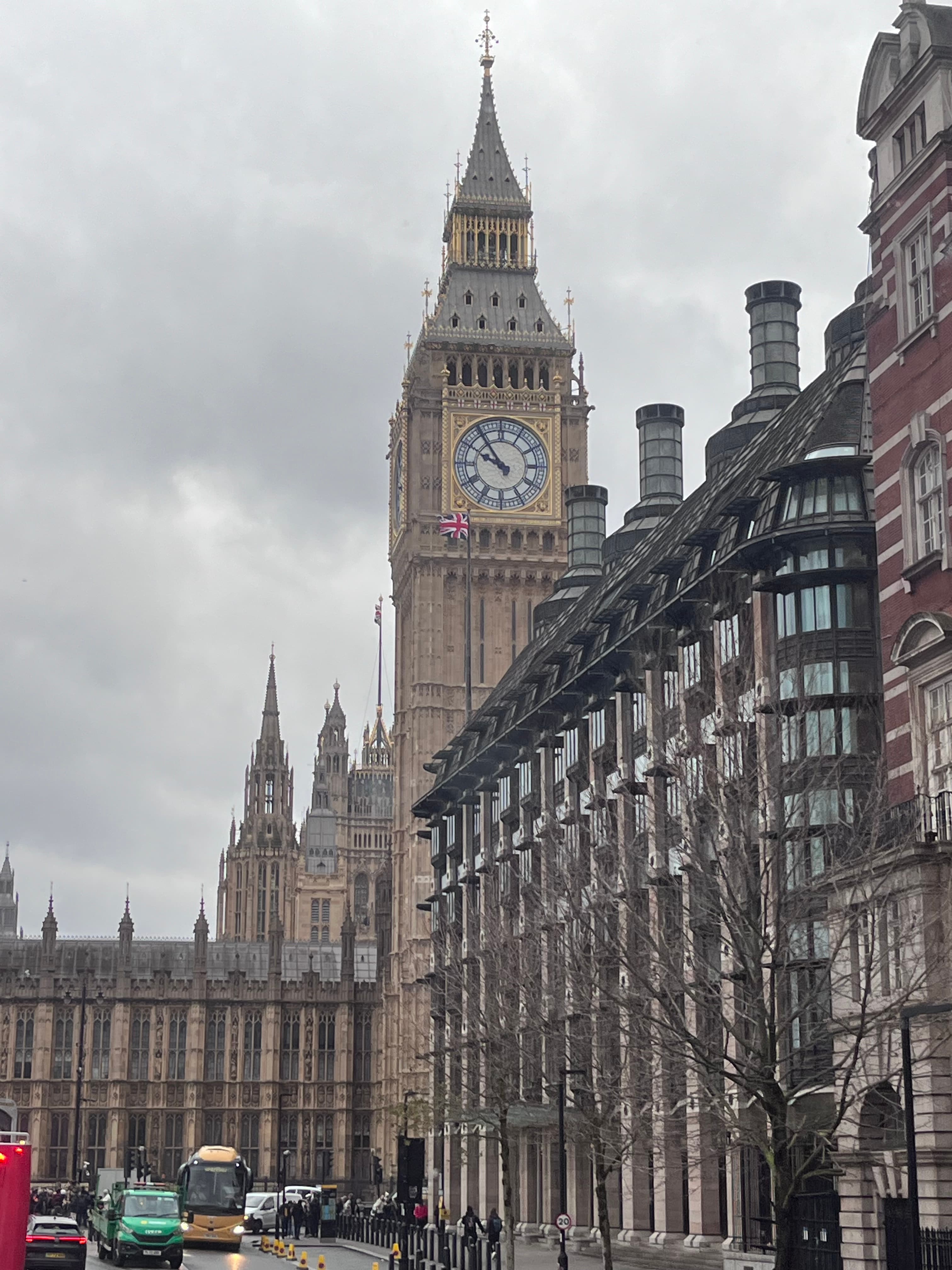
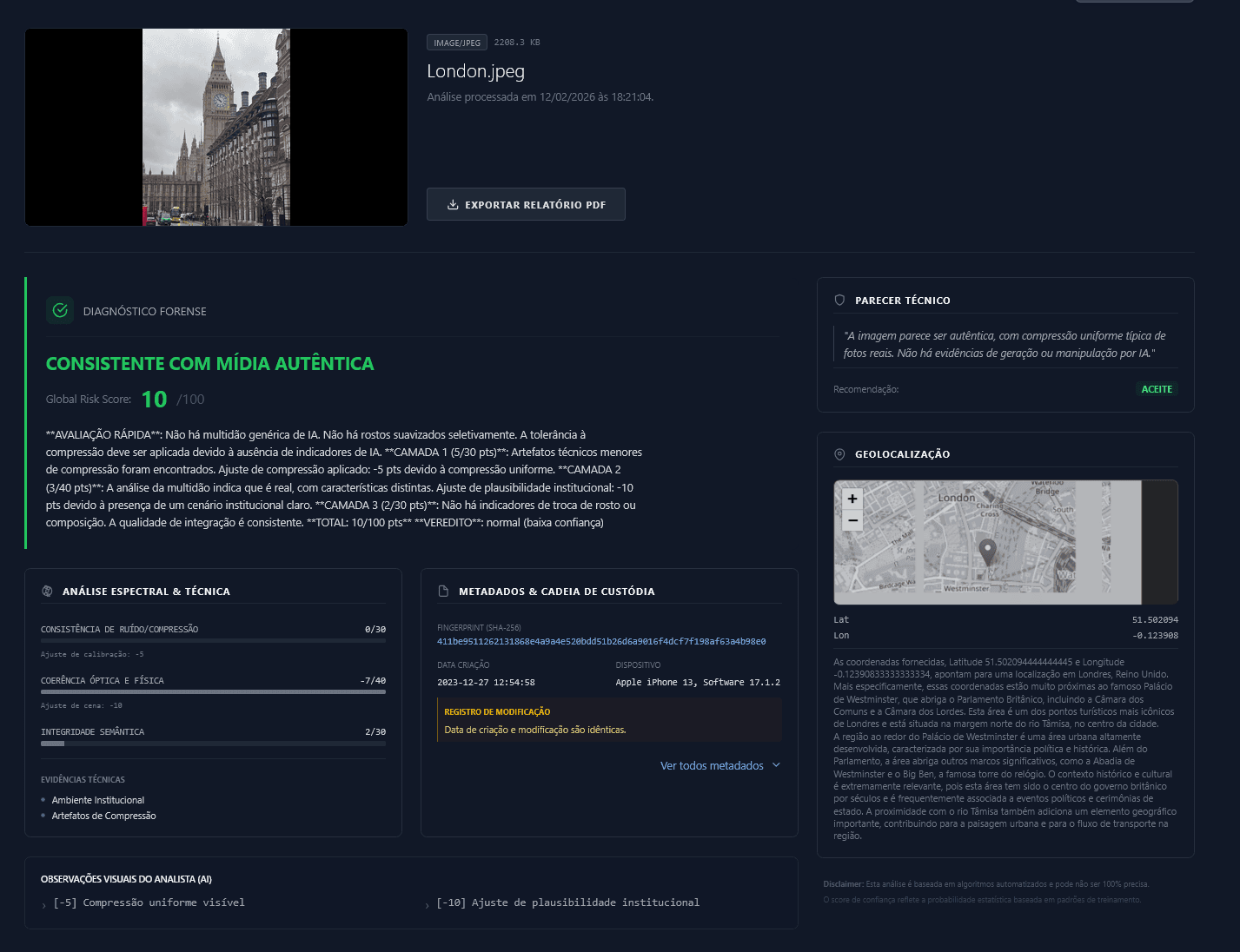
Location Validation
Photo sent by an expert to validate an alibi in London. Image authenticity verification required for metadata and original GPS.
Who it's for
MetaScope is designed for scenarios where evidence integrity is fundamental and doubt is not an option.
Technical Forensics
Initial evidence triage, integrity validation and support for technical reports.
Legal
Technical foundation for legal proceedings with exportable PDF reports.
Corporate Security
Suspicious file analysis and prevention of fraud or data leaks.
Journalism & Fact-checking
Authenticity verification of media (fakes/AI) and source validation.
Digital forensics features for files, links, and deepfakes
Turn files, screenshots, and suspicious links into technical evidence with a multi-layer forensic analysis engine.
Anti-fraud Protection
Risk & Phishing Analysis
Paste a link or send a suspicious screenshot. Identify signs of fake websites, homography and social engineering tactics before clicking.
Forensic Validation
Proof of Integrity
Strengthen the technical foundation of your evidence. Extract hidden metadata and calculate SHA-256 hash for legal validity.
Fake Detector
Deepfake & AI Detector
Assess authenticity. Our AI analyzes invisible patterns and digital noise to indicate probability of synthetic manipulation.
Traceability
Origin Tracing (GPS)
Map the exact capture location. Interactive visualization of GPS coordinates when available in file metadata.
You don't start with the report. You start with the evidence.
With MetaScope, you run technical triage first, go deeper into sensitive cases using Deep Research, and only request an expert report when technically validated.
01. Technical Analysis
Run an initial triage without extra costs to filter volume and single out what really needs further investigation. All in your dashboard.
02. Deep Research
Trigger Deep Research modules strictly for cases with a sensitive context, real doubts, or high legal fraud risk.
03. Expert Report
When there is technical merit, convert your analysis into an Expert Report digitally signed by a Digital Forensic Examiner.
Digital forensics software for files, images, and suspicious links
MetaScope was built for real-world digital forensics. The platform combines forensic file analysis, image authenticity checks, EXIF metadata inspection, SHA-256 integrity verification, and suspicious link and screenshot analysis with OCR to support technical decisions with more confidence.
Access MetaScope PlatformFAQ about digital forensics and suspicious files
Clear answers about authenticity checks, metadata, suspicious links, privacy, and how to interpret the analysis.
Transparency
Automated analyses are based on technical evidence and may vary depending on the file and available metadata. Use the results as support and complement when necessary.
Academia Forense
Aprofunde seu conhecimento em perícia digital
Além das ferramentas, o MetaScope oferece conteúdo educativo para peritos, advogados e profissionais de segurança. Acesse artigos sobre ciências forenses, coleta de evidências digitais e análise de imagens com IA.
Inside the platform
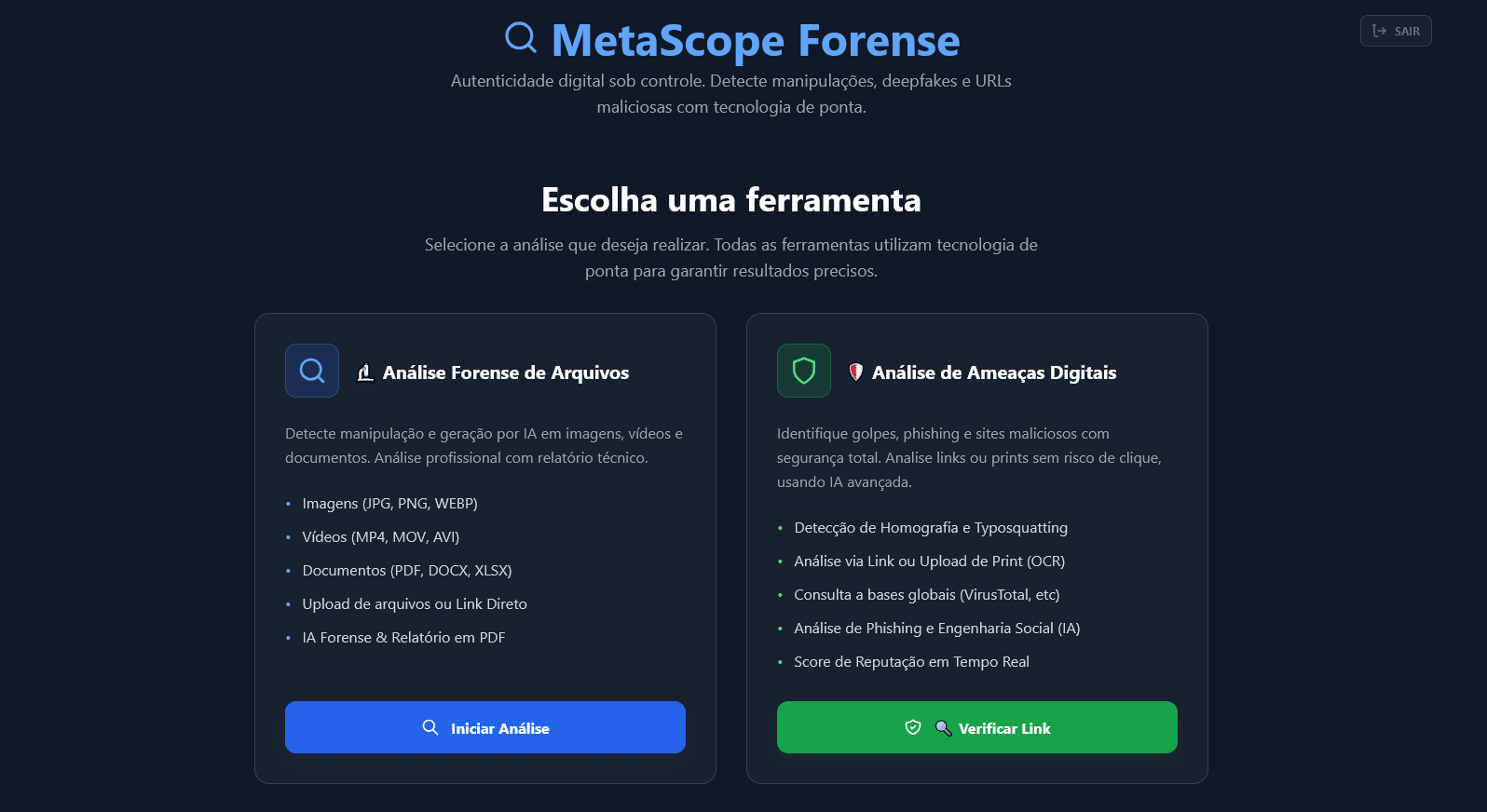
Interface designed for forensic agility. Browse dashboards, metadata visualization and analysis tools.
1 of 7
Unified main panel: choose between Forensic File Validation or Digital Threat Analysis.
Ready to back your decisions with irrefutable technical evidence?
Access our SaaS platform and protect your technical operations against fraud with reliable evidence.
Current limits: images/videos up to 100MB • documents up to 25MB.
Questions about security or legal use? Talk to our team